Description
M5StickC PLUS2 is an iterative version of M5StickC PLUS2, featuring the ESP32-PICO-V3-02 chip as the main controller with built-in WiFi functionality. The compact device integrates a wealth of hardware resources within its small form factor, including infrared, RTC, microphone, LED, IMU, buttons, buzzer, and more. It boasts a 1.14-inch TFT screen with a resolution of 135*240, driven by the ST7789V2. The battery capacity has been increased to 200 mAh, and the interface also supports HAT and Unit series products. This compact and versatile development tool is designed to spark limitless creative possibilities.
M5StickC PLUS2 facilitates the rapid prototyping of IoT products, streamlining the entire development process. Even beginners in programming can easily build interesting applications and apply them to real-life scenarios using M5StickC PLUS2.
Note
Device fails to recognize port
If the port is not recognized correctly when using a C-to-C cable, follow these power-on steps:
First, disconnect the StickC-Plus2 and power it off (press and hold the power button until the green light turns on, indicating it is powered off), then reconnect the USB cable to power it on.
Features
- Based on ESP32-PICO-V3-02 with Wi-Fi support
- Built-in 3-axis accelerometer and 3-axis gyroscope
- Integrated IR emitter
- Built-in RTC
- Integrated microphone
- User buttons, 1.14-inch LCD, power/reset button
- 200 mAh Li-ion battery
- Expansion connector
- Integrated passive buzzer
- Wearable & mountable
- Development Platform
- UIFlow
- Arduino IDE
- Preferences Link
- ESP-IDF
- PlatformIO
Includes
- 1x M5StickC Plus2
Applications
- Internet of things terminal controller
- Wearable devices
- Stem education product
- DIY creation
Specifications
| Specification | Parameter |
|---|---|
| SoC | ESP32-PICO-V3-02 240 MHz dual-core, Wi-Fi, 2MB PSRAM, 8MB Flash |
| Input Voltage | 5V@500mA |
| Interface | USB Type-C × 1, HY2.0-4P (I2C + I/O + UART) × 1 |
| LCD Screen | 1.14-inch, 135 × 240 Color TFT LCD, ST7789V2 |
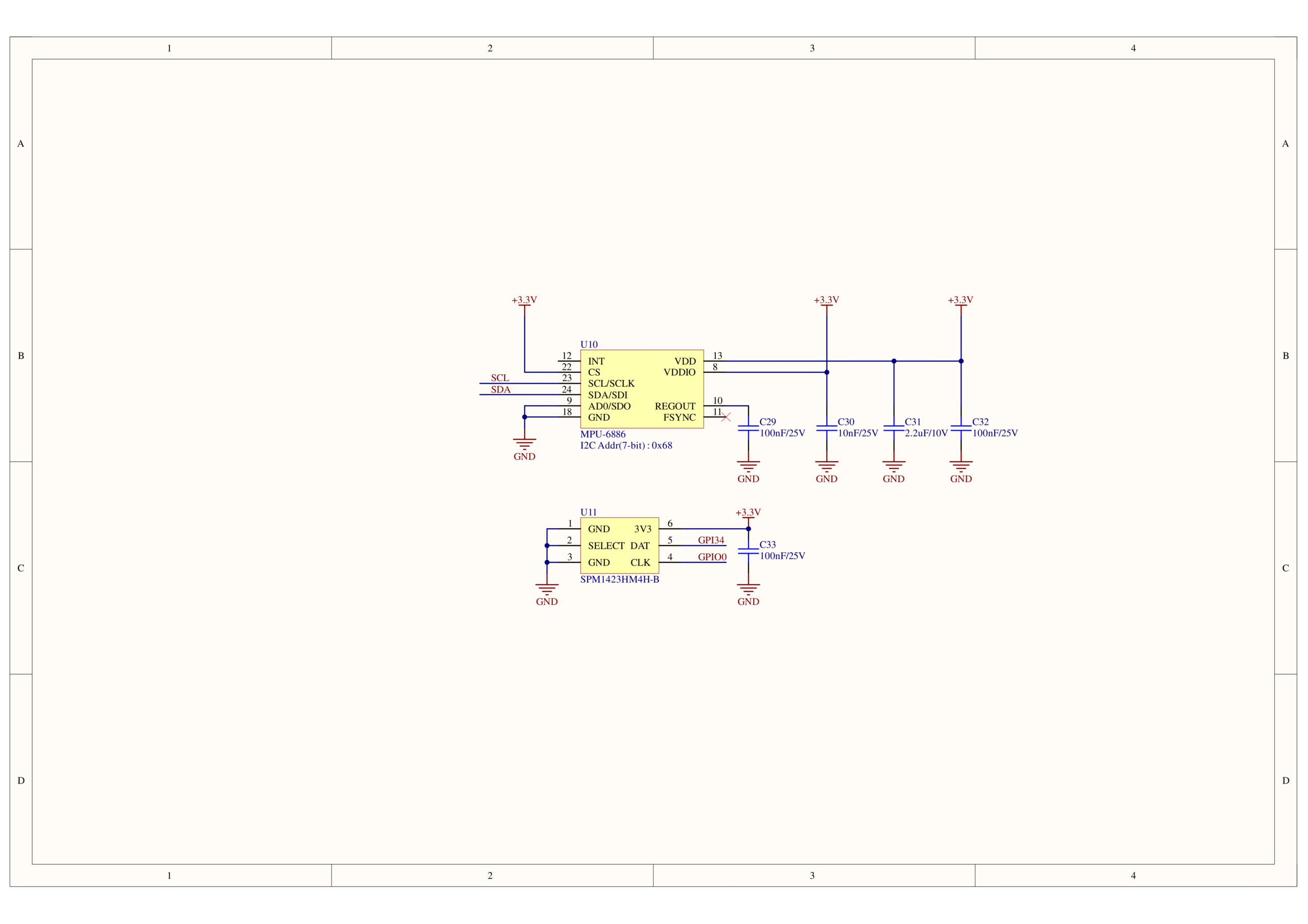
| Microphone | SPM1423 |
| Buttons | User Buttons × 3 |
| LED | Green LED × 1 (non-programmable, sleep indicator) Red LED × 1 (shares control pin G19 with IR emitter) |
| RTC | BM8563 |
| Buzzer | On-board passive buzzer |
| IMU | MPU6886 |
| Antenna | 2.4 GHz 3D antenna |
| External Pins | G0, G25/G26, G36, G32, G33 |
| Battery | 200mAh@3.7V, inside |
| Operating Temp | 0 ~ 40°C |
| Enclosure | Plastic (PC) |
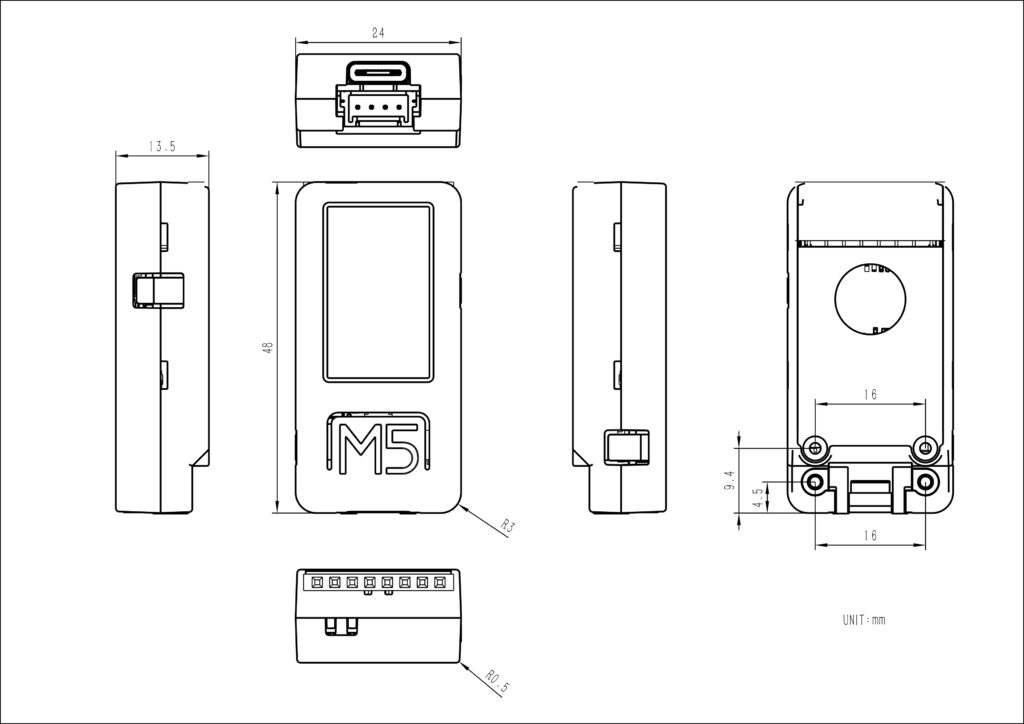
| Product Size | 48.0 × 24.0 × 13.5mm |
| Product Weight | 16.7 g |
| Package Size | 104.4 × 65.0 × 18.0mm |
| Gross Weight | 26.3 g |
Operation Instructions
Power On/Off
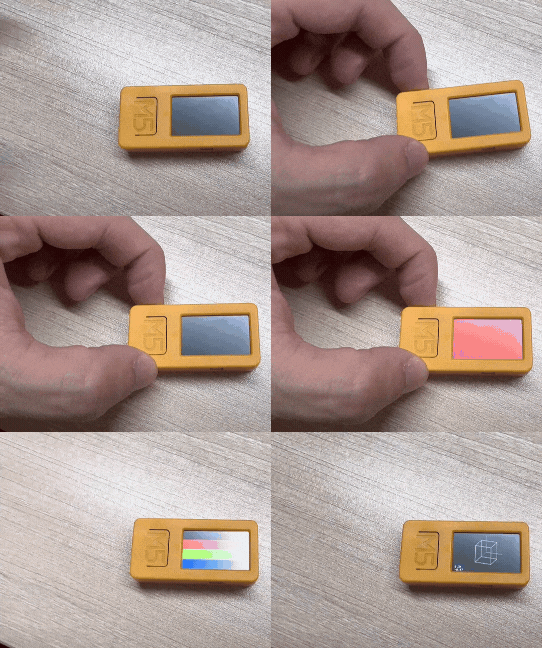
Power-on: Press the “BUTTON C” for more than 2 seconds, or wake up via the RTC IRQ signal. After the wake-up signal is triggered, the program must set the HOLD pin (G4) to high (1) to keep the power on, otherwise the device will shut down again.
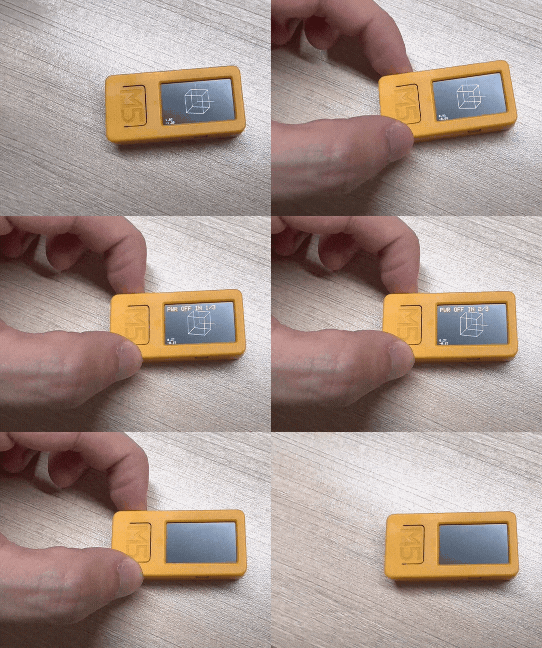
Power-off: Without external USB power, press “BUTTON C” for more than 6 seconds, or set HOLD (GPIO4)=0 in the program to power off. While USB is connected, pressing “BUTTON C” for more than 6 seconds will turn off the screen and enter sleep mode (not a full power-off).
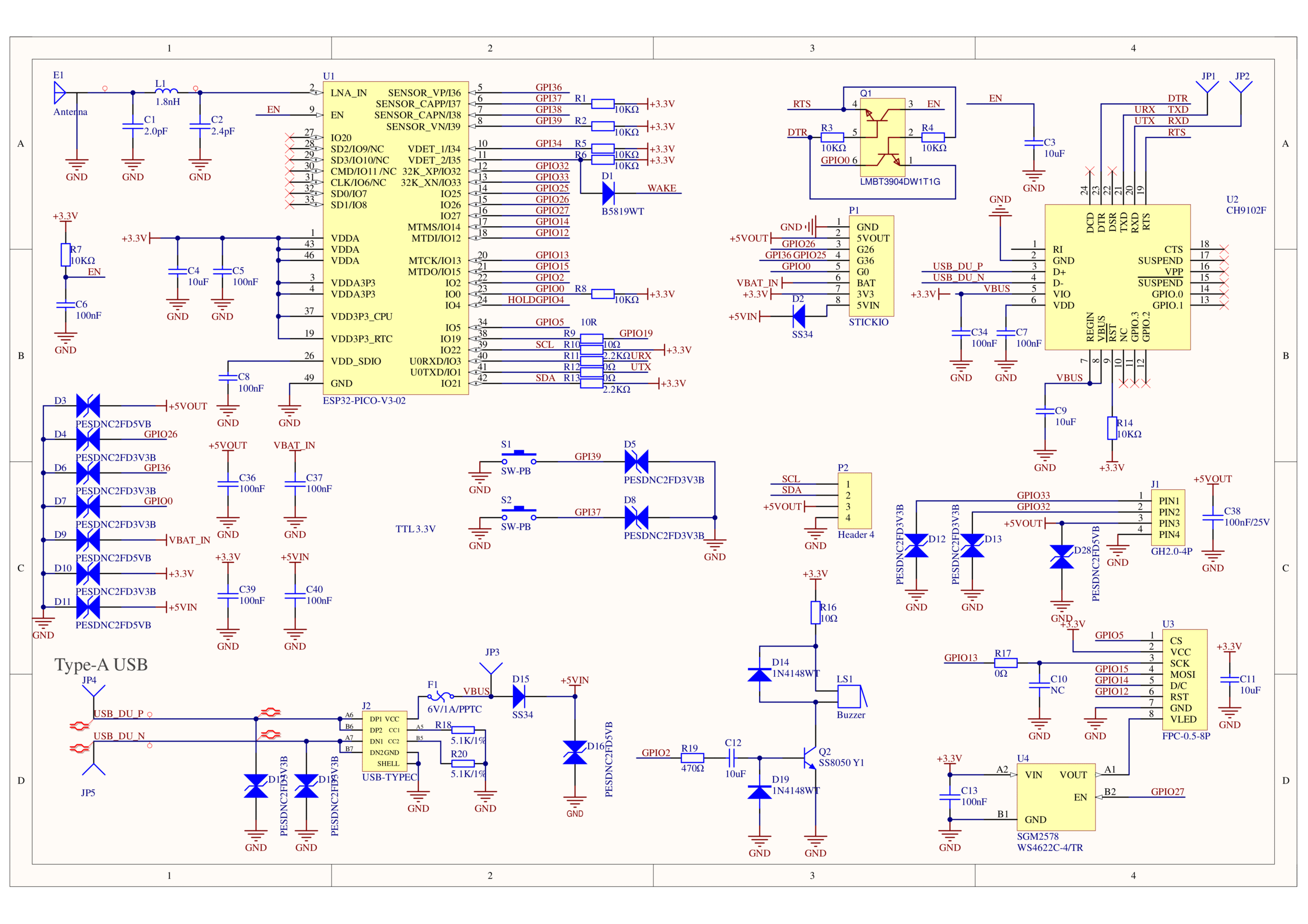
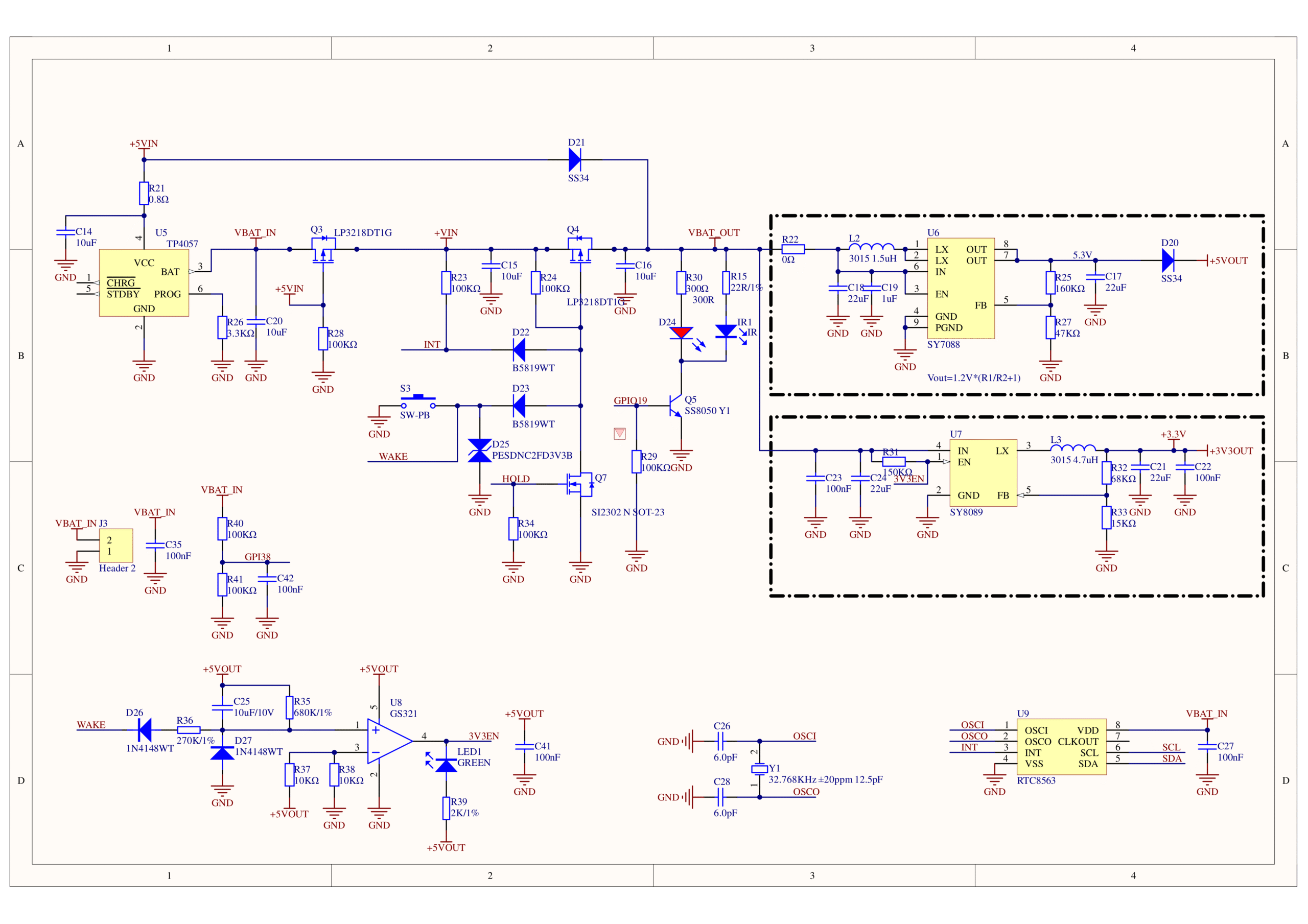
Schematics
Model Size
USB Driver
| Driver Name | Supported Chip | Download |
|---|---|---|
| CH9102_VCP_SER_Windows | CH9102 | Download |
| CH9102_VCP_SER_MacOS v1.7 | CH9102 | Download |
Easyloader
EasyLoader is a lightweight program flasher that comes with demonstration firmware. By following a few simple steps, you can flash it to the controller for quick functional verification.
| Easyloader | Download |
|---|---|
| FactoryTest for Windows | download |